
A booking confirmation that lands in spam is worse than no confirmation. The customer assumes nothing happened, books elsewhere, and you find out when the slot sits empty.
Deliverability is the least glamorous part of running a website and one of the few where a couple of hours of setup permanently changes the outcome.
The three records, in plain terms
Mail providers ask three questions about every message. The three records answer them.
- SPF says which servers are allowed to send email using your domain. Without it, anyone can claim to be you.
- DKIM adds a signature proving the message was not altered in transit and really came from your domain.
- DMARC tells receivers what to do when the first two fail, and asks them to report back.
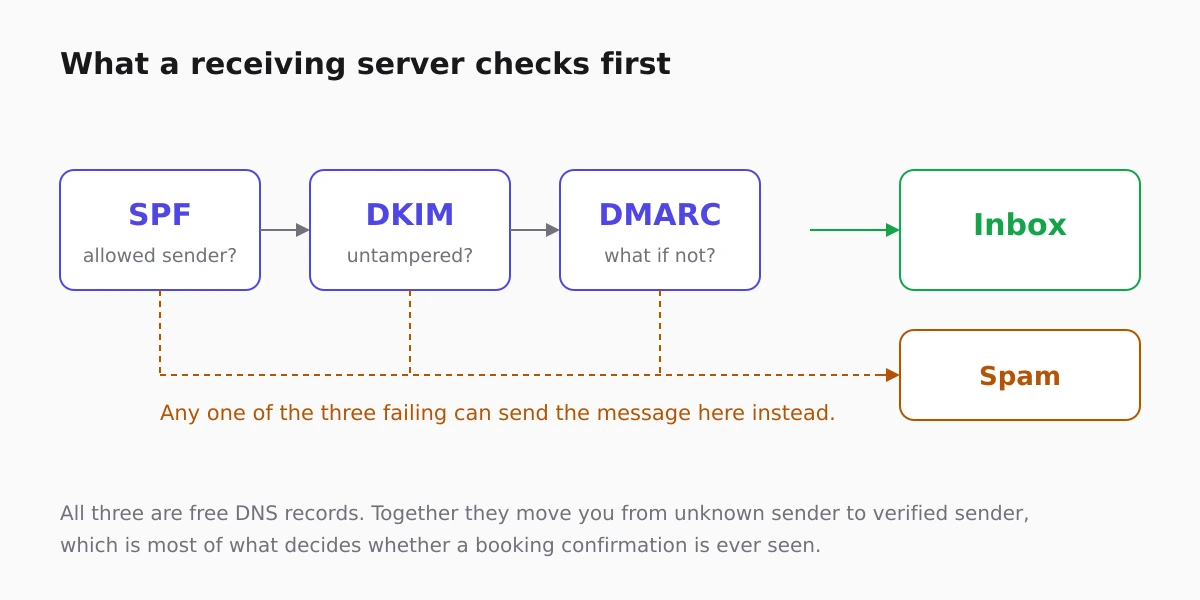
All three are DNS records. None of them costs anything. Together they move you from "unknown sender" to "verified sender", which is most of the battle for a small business.
Send from your own domain
Confirmations that arrive from a generic address at a free mail provider look like exactly what spam filters are built to catch, and they teach customers nothing about who you are.
Confirmations and reminders sent from the reservation flow, described in managing bookings, inherit whatever reputation that domain has. Sending as your own domain is what the three records above authorise. The setup is covered in email sending setup, and the diagnosis steps when something is wrong are in email deliverability.
Transactional and marketing mail behave differently
A booking confirmation is expected, opened and rarely reported. A newsletter is none of those things. Sending both from the same domain means the newsletter's reputation drags down the confirmation's.
Many businesses eventually separate them onto different subdomains for that reason. Below a few thousand messages a month it rarely matters, but it is worth knowing before it does.
The habits that matter more than the records
- Never send to a list you did not collect. Purchased lists produce complaints, and complaints are the fastest way to be filtered permanently.
- Make unsubscribing trivial. People who cannot unsubscribe press the spam button instead, which costs far more.
- Remove hard bounces. Repeatedly sending to dead addresses is a spam signal on its own.
- Keep sending steady. Nothing for six months and then two thousand messages looks exactly like a compromised account.
Test before you rely on it
Send yourself a real booking confirmation at an address on a different provider. Check it arrives, check it is not in spam, and check that the from-name and reply-to are what a customer should see.
For a clinic or a salon that depends on reminders to reduce no-shows, that test is worth repeating whenever the sending setup changes: the whole argument in reducing patient no-shows rests on the reminder actually arriving, and the health and medical templates lean on the same mechanism.
FAQ
Do I need all three records?
SPF and DKIM are the minimum. DMARC is what makes them enforceable and gives you reports, and it is increasingly expected by the large providers.
Why do my emails reach Gmail but not Outlook?
Providers weigh signals differently and Outlook is stricter about unauthenticated mail. Failing at one provider and not another usually points at an incomplete DKIM or DMARC setup.
Does adding an unsubscribe link to confirmations help?
Transactional mail does not need one, and adding it can confuse customers. Keep unsubscribe links on marketing mail, where they are required.
How long until changes take effect?
DNS changes propagate within hours, but sender reputation takes weeks to move. Set the records correctly, then judge deliverability over a month, not a day.
Should I buy a dedicated sending IP?
Almost certainly not at small volume. A dedicated IP with little traffic has no reputation, which is worse than sharing a well-managed one.