Take donations on your own website
One-off and monthly giving, on your own address, without a fundraising platform between you and your supporters.
- 14-day free trial - card required
- Free forever to build the site itself
- Cancel anytime
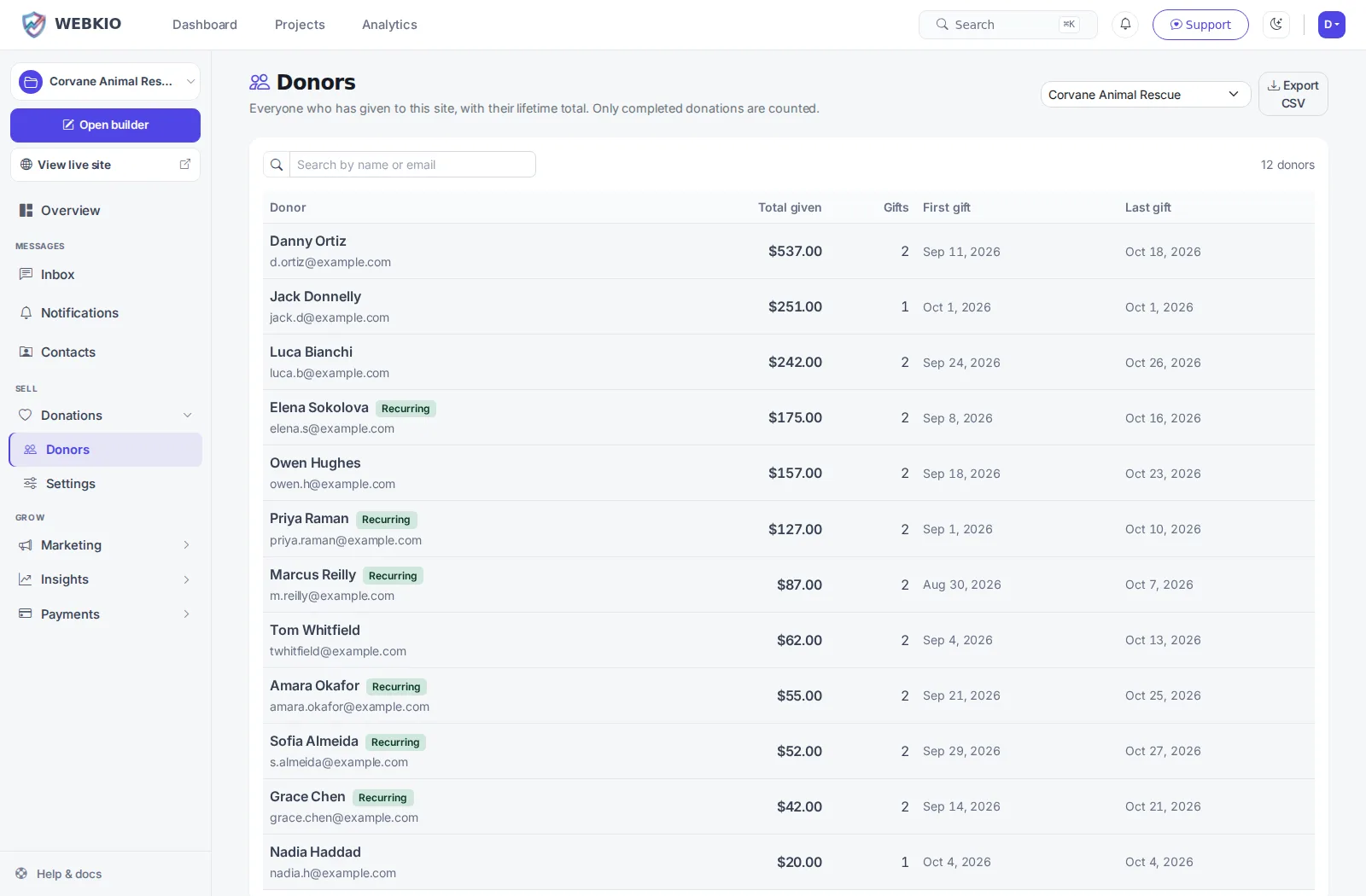
A fundraising platform takes a cut of every gift and keeps the relationship with the donor - you get a payout and a spreadsheet. Taking donations on your own site means the supporter is yours: you have their email, they can set up a monthly gift, and you can name the fund they gave to. It is the same argument as taking bookings direct, and it matters more here, because the money was given rather than spent.
Building your site, pages and blog are free forever. Take donations on your own website is not - it needs Starter ($14.99/mo). The 14-day free trial covers it, and starting the trial needs a card. Donations start on Starter and carry a 1% platform fee per donation on top of your own payment processor. Your donors can be asked to cover that, which most will.
Before you start the trial
- Nothing is charged today. Cancel any time before day 15 and you are not charged at all - the account moves to the Free plan and your site and its data stay.
- Taking payment runs through your own Stripe account. Connecting it is a separate identity check with Stripe that can take a few days, so start it on day one if you want to take a real payment inside the trial.
- The trial runs on Starter only. Moving up a plan part-way through ends the trial and starts the paid subscription, so if you already know you need the bigger tier, start there instead.
- One trial per account.
Monthly giving, not just one-offs
A supporter can set up a recurring gift and cancel it themselves. Regular giving is what makes a small charity able to plan.
Named funds
Let people give to the roof, the boat or the bursary rather than to a general pot. People give more when they can see where it lands.
Donors can cover the fee
A checkbox that adds the processing cost to their gift instead of taking it from yours. Most donors tick it.
A donor wall, if you want one
Show who gave, with a message, or let them give anonymously. Both are a choice the donor makes, not you.
The supporter is yours
Name and email stay on your site, so thanking them, or telling them what their money did, is something you can actually do.
Every gift accounted for
Reference, amount, fund, method and date on each one, with refunds recorded against the original gift.
How it works
Live in an afternoon - no code, no plugins.
Set up your funds
One general fund, or several named appeals - whatever your supporters understand.
Connect Stripe
Donations are paid into your own Stripe account. The money is yours from the moment it is given.
Ask, and thank
Put the donate block on the pages that make the case, and use the donor list to say thank you properly.
Frequently asked questions
More on donations
Practical guides from the Webkio blog.
Explore other solutions
Ready to build it?
Build and publish your site for free, with no card. Take donations on your own website needs Starter, free for 14 days on the trial, and you can cancel any time.
Already have a website? Import it free and see it as a Webkio site, and your pages keep the addresses they already have.