Website analytics
Built into the site, so there is nothing to install and nothing to reconcile.
- Free plan - no time limit
- No credit card required
- Cancel anytime
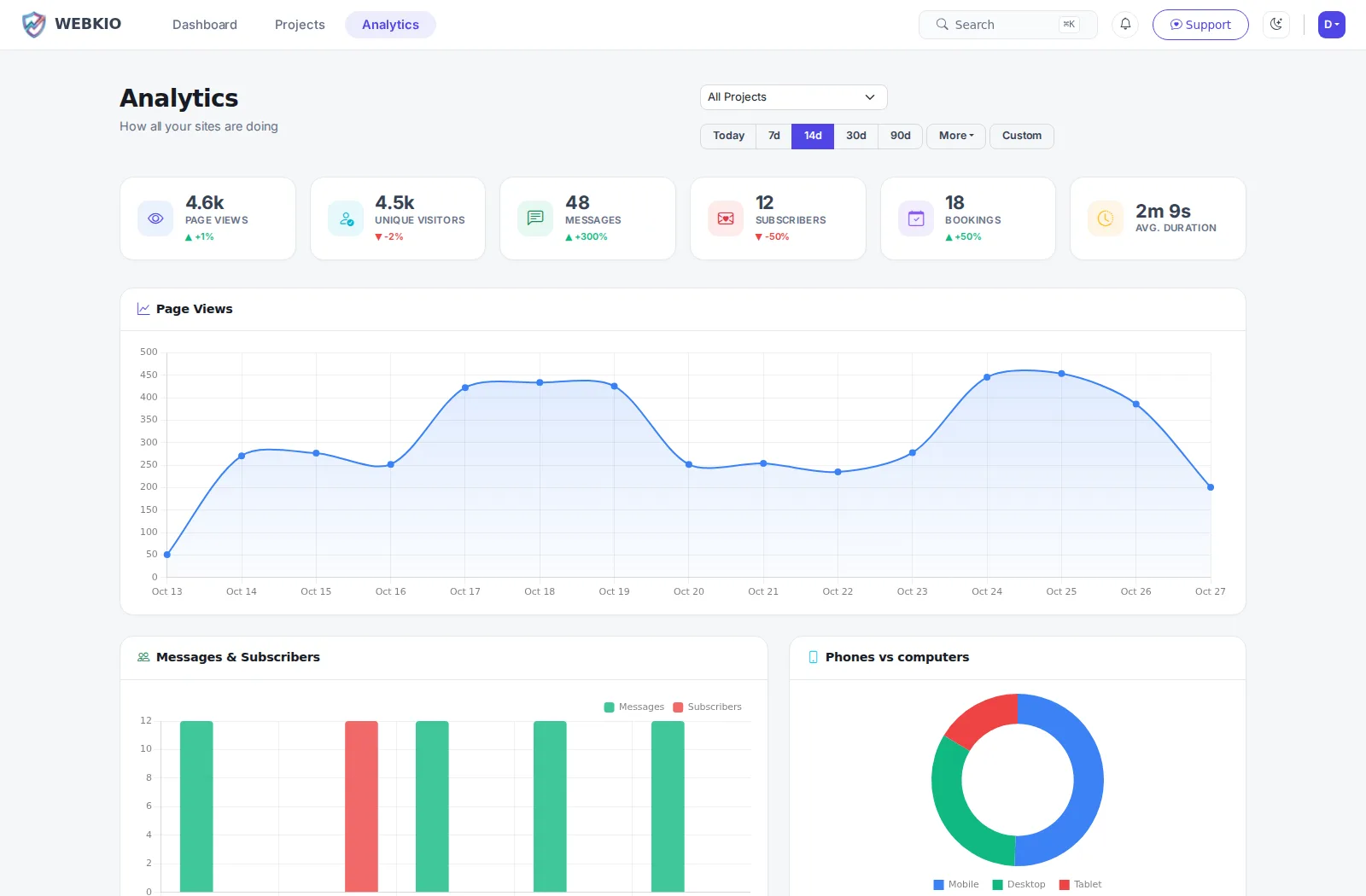
Most small business owners either have no analytics at all or have a tag they installed once and have never opened. This is the version that answers the three questions you actually have: is anyone coming, where from, and did they do the thing. It is part of the site rather than a script you add, so it is there from the first visitor and the numbers agree with the orders and bookings in the same dashboard.
Visitors, not hits
Sessions are counted properly, so a hundred page views from one person is one visitor rather than a hundred.
Where they came from
Referrers and UTM campaign tags, so a link you posted and an email you sent are told apart rather than both landing in "direct".
Phone, tablet or desktop
Device, browser and screen size, and the country and language they arrived with.
What they actually read
Time on page and the path through the site, so you can see where people stop rather than guess.
Your real loading speed
Core Web Vitals measured in your visitors' own browsers and graded, not a lab score from a test machine. Most dashboards this size do not show this at all.
Beside the things that pay
Orders waiting, bookings pending and stock running low sit on the same screen, so the traffic number is next to what it produced.
How it works
Live in an afternoon - no code, no plugins.
Publish
Nothing to install. The first visitor after you publish is already counted.
Tag what you share
Put UTM tags on the links you post so you can tell the newsletter from the Instagram post.
Look once a week
Where they came from, which pages they read, and whether it turned into an order or a booking.
Frequently asked questions
More on analytics
Practical guides from the Webkio blog.
Explore other solutions
Ready to build it?
Start free, no credit card. Upgrade only when you're ready to take payments.
Start freeAlready have a website? Import it free and see it as a Webkio site, and your pages keep the addresses they already have.