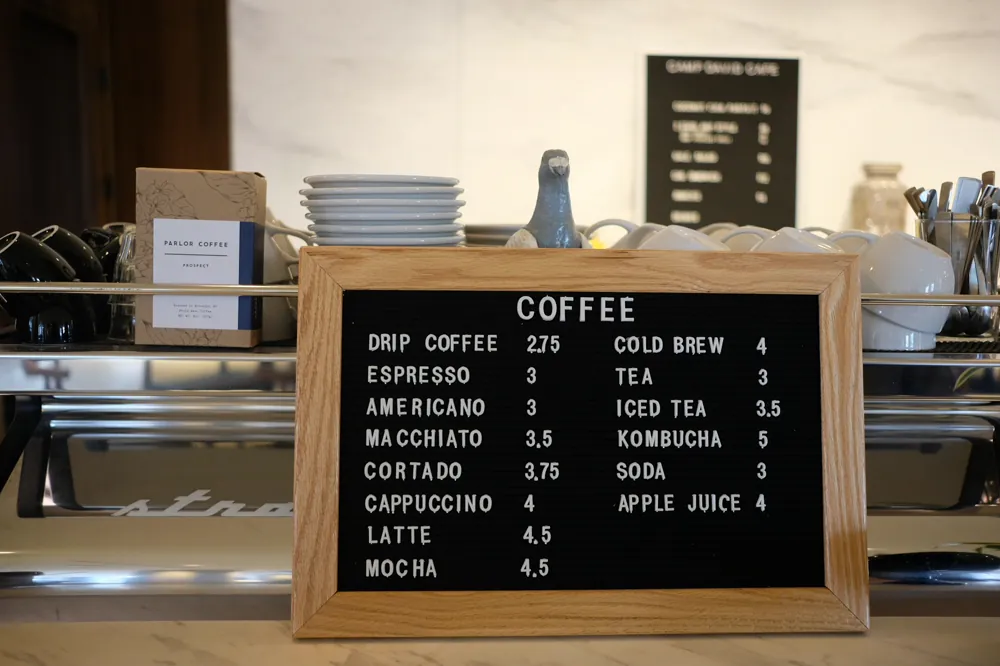
Somebody is standing outside your door at seven o'clock deciding whether to come in. They have your website open on a phone. The menu is a PDF from 2023 that opens in a separate viewer, at a zoom level where a starter is four pixels tall.
They go to the place next door, whose menu was a web page.
Why the PDF has to go
A PDF menu fails at all three jobs a menu does online.
- It is unreadable on the device people use. Most of your menu traffic is a phone, held in one hand, often outside. A document laid out for A4 does not survive that.
- Search engines and assistants get almost nothing from it. A web page of dishes with prices is text that can be indexed, quoted and shown in a local result. A PDF is a file that happens to be on your site.
- It goes stale invisibly. Changing a price means editing a document, exporting it and re-uploading it, so nobody does, and the menu drifts away from the kitchen.
The version that works is boring: categories, dishes, a line of description, a price. Every one of those is a field rather than a layout, which is what makes it possible to keep it true.
The structure that does the work
Menus divide into categories and dishes, and the categories matter more than people expect. They are the navigation: Starters, Mains, Sides, Desserts, Drinks. On a phone, a diner scans category headings and stops at the one they want.
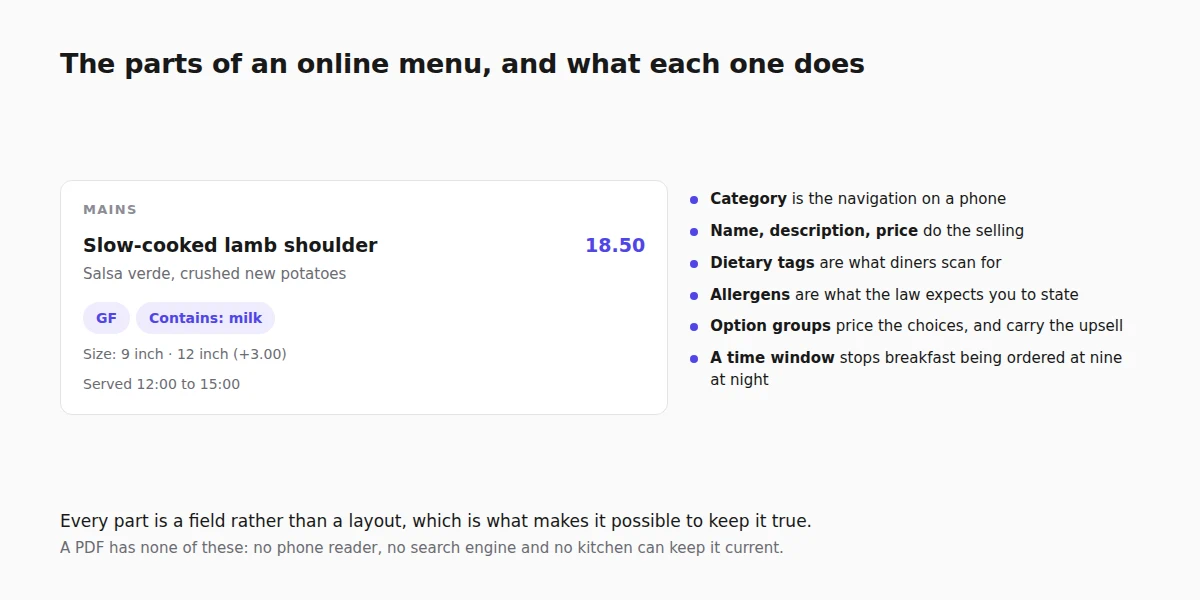
Each dish carries a name, a description, a price, and optionally a photograph. The description is where restaurants either sell the dish or waste the line. "Slow-cooked lamb shoulder, salsa verde, crushed new potatoes" does a job. "Delicious lamb dish" does not.
Photographs are worth it for the three or four dishes you most want to sell and not worth it for everything. A menu where every item has a mediocre photo reads worse than a clean text menu with two good ones. If you do add them, keep them light, for the reasons in image optimisation.
Dietary tags and the allergen question
This is the part most restaurant websites get wrong, and it is the part with legal weight behind it.
Dietary tags are the ones diners filter on: vegetarian, vegan, gluten free. They belong on the dish because a diner scanning for them on a phone should not have to read every description.
Allergens are different. In the UK and across the EU there are 14 named allergens that food businesses are required to be able to tell customers about, and for anything sold at a distance, such as an online order, the information has to be available before the order is placed as well as when it arrives. On a menu here they are stored alongside the dietary tags and rendered on the storefront as a "Contains" line under the dish, so the information sits with the food rather than in a folder behind the counter.
Two things follow from that. First, filling them in is not optional busywork. Second, "may contain" is not a substitute for knowing, and a kitchen that cannot answer for a dish should not be selling it online.
Options, and the prices hiding inside them
Most menus have dishes that are not one price. A pizza with a choice of base, a burger with extras, a coffee with a milk choice. Handling this as separate menu items produces a menu three times too long.
Option groups are the tidier answer: a named group attached to a dish, either single choice or multiple, optionally required, with a price against each choice. "Size: 9 inch, 12 inch (+3.00)" is one dish with a group, not two dishes.
Getting this right matters more if you take orders online, because an option group is where a large part of your average order value lives. The upsell is not a banner, it is the extra topping presented at the moment somebody is already choosing.
Dishes that only exist at certain times
Breakfast should not be orderable at 9pm, and a lunch deal should not be sellable at dinner prices. A dish can carry a time window, which decides when it is available.
This is the setting that stops the two most annoying kinds of order: the one for something the kitchen stopped making at eleven, and the one where a customer is confused about why their favourite is missing. The window is shown on the dish rather than hidden, so a diner reading the menu at 8pm knows breakfast exists and when to come back for it.
Featured items are the same idea in the other direction: the specials you want at the top of the section, moved rather than retyped.
Getting a long menu in without typing it twice
A menu of eighty dishes is a real data-entry job, so it can be imported from a spreadsheet instead: name, price, description, category and dietary tags, one dish per row, matched by name. If you already keep the menu in a spreadsheet for the printer, this is a five-minute exercise rather than an afternoon.
The re-import is the more useful half. When prices change, edit the spreadsheet and import again, and existing dishes are matched by name rather than duplicated. That is the difference between a menu that stays current and one that was current in March.
Publishing it, and then using it
Once the menu is a page rather than a document, it starts doing things a PDF never could. It can be linked to directly from a local listing or a social profile. It is readable by the assistants people increasingly ask "what does this place serve". Prices in text are quotable in a way an image is not, which is the same argument made in getting quoted by AI search.
The same dishes then feed online ordering if you turn it on, which is a separate switch and a separate decision, covered in taking orders online and argued through on the restaurant online ordering system page. Publishing the menu itself is walked through in publishing your menu, and if you are still choosing a design, the restaurant templates ship with the menu page already in place.
FAQ
Do I have to list allergens on my online menu?
Food businesses in the UK and the EU must be able to provide allergen information for the 14 named allergens, and for food sold at a distance it has to be available before the order is placed as well as with the delivery. Recording them per dish is the only practical way to meet that.
Should I show prices on the menu?
Yes. A menu without prices is the most common reason someone leaves a restaurant site, and price is one of the first facts a search result or an assistant will look for.
What about a menu that changes daily?
Keep the structure stable and change the dishes. Categories and option groups stay; the specials move. If the whole menu genuinely turns over every day, a spreadsheet import is what makes that sustainable.
Can I keep the PDF as well?
Keep it for printing. Do not make it the thing a phone visitor is sent to. If you want it available, link to it under a real menu page rather than instead of one.
Does an online menu help my local search results?
It gives search engines and assistants readable text about what you serve and what it costs, which is exactly the material they use to answer "where can I eat near here". It is the same principle as the rest of local SEO for a one-location business.
Read next
- How to take table bookings on your website - the other thing a restaurant site has to do.