For anyone who needs one link to hand out - makers, musicians, coaches, small traders. A single tap-through page rather than a website, built for the profile bio it will live in.
Make it yours
Keep it to four or five links and re-order them the moment your priority changes - the top one gets most of the taps. Use a real photograph of yourself rather than a logo, and write each link as the thing it opens ("Beginners wheel workshop") instead of a label ("Events").
One Link, Under Your Own Name
A link page is the address you hand out on a profile, a flyer or a business card. The only real question is whether it belongs to you or to a service that could change its terms next year.
Put the most important link first
People tap one or two things. Order by what you actually want them to do, not by what you have most of.
Label links by outcome
"Book a session" beats "Bookings". "Buy the record" beats "Shop". A label that says what happens gets tapped more often than a category name.
Keep it honest and current
Dead links on a link page are worse than on a website, because the whole page is links. Check it whenever something changes.
Connecting your own domain is what makes this yours rather than rented: connect a custom domain. If it outgrows a single page, the same site can become a full one without moving the address.
Order the links by what you want clicked
The first link takes most of the traffic and the fifth takes almost none. Put the thing that earns money at the top, not the thing you most recently posted about.
Know when one page stops being enough
A link page is the right answer while your business is one action. The moment you need opening hours, prices, a booking or a second service, you have outgrown it, and the fix is a real site rather than a longer list.
Questions and answers
Is the Link in Bio template free?
Yes - you can start building with the Link in Bio template for free. Paid plans unlock more projects, custom domains, and additional features.
What pages does the Link in Bio template include?
It comes with 3 ready-made pages: Home, About, Contact.
What can the Link in Bio template do?
It is set up for Services. Those are built in rather than add-ons, so they work from the moment the site is created.
What fonts and colours does the Link in Bio template use?
Outfit for headings and Nunito for body text, on a palette built around #7a3b1e and #efe3d6.
Do I need to know how to code?
No. The Link in Bio template is edited visually in the drag-and-drop builder - no coding at any point.
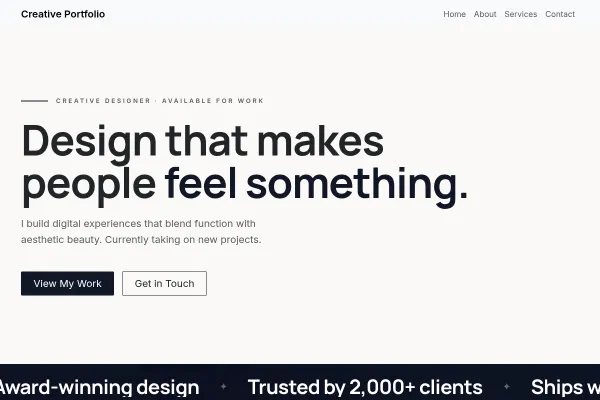
A designer's portfolio as a poster: the wall of work full-bleed, an edge-to-edge mosaic with one solid colour tile in it, prices on ink, and a two-day reply promise.
We use strictly necessary cookies to run the site and, with your consent, analytics cookies to understand usage. See our Cookie Policy and Privacy Policy.
 Creative & Portfolio