Add the Meta pixel to your business website
Paste your pixel into the site head to measure Facebook and Instagram ads against what happens on your site.
Built in - paste your pixel ID, nothing else
How it actually works
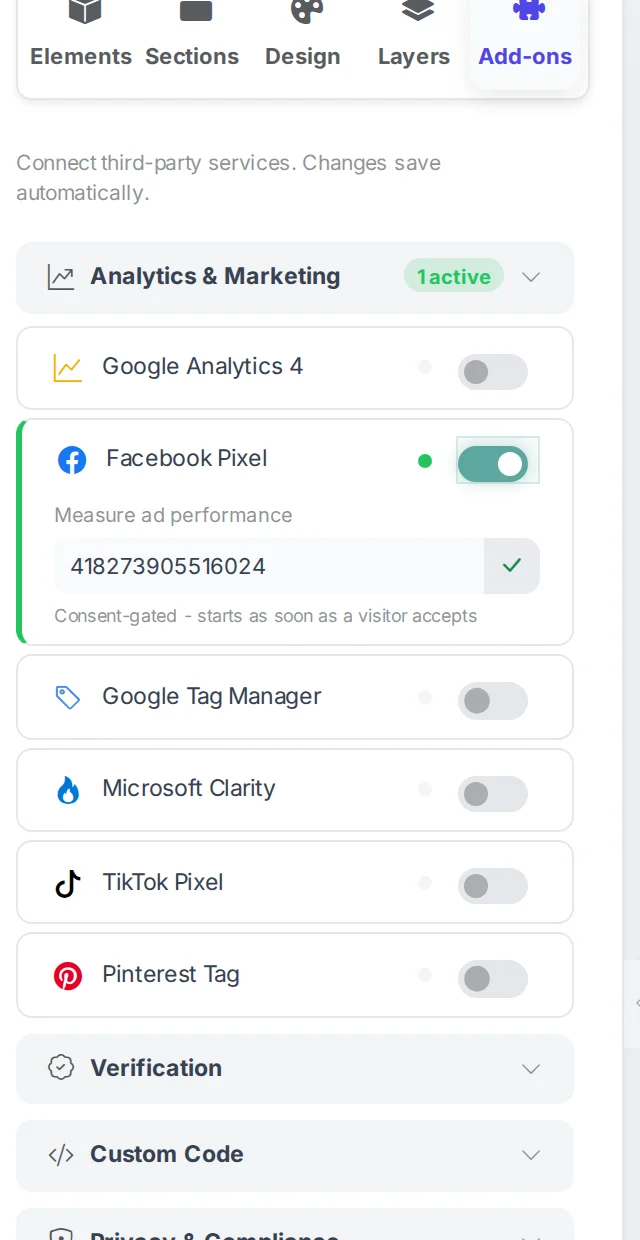
The Facebook pixel sits beside Google Analytics in the builder's Add-ons tab. You paste the pixel ID, Webkio writes the tag into every published page, and it keeps covering new pages as you add them. It stays your pixel on your own ad account.
Setting it up
- In Meta Events Manager, create a pixel and copy its ID - the bare number, which is all this needs.
- Open your site in the Webkio builder and choose Add-ons, the last tab in the left sidebar.
- Find Facebook Pixel under Analytics and Marketing, paste the ID, and save.
- Publish, then confirm it with the Meta Pixel Helper extension on your live site.
What the cookie banner does to it
- Consent comes first
- The pixel waits for the banner. If a visitor accepts halfway down a page, it starts measuring from there rather than waiting for the next page load.
- Visitors who decline are invisible to it
- Unlike Google Analytics, which has an opt-in cookieless mode, the Meta pixel has nothing equivalent here. Someone who declines is simply not measured, so your reported conversions will be lower than your real ones - worth knowing before you judge a campaign on them.
- Check it against your own analytics
- The built-in counter is server-side and sees every visitor. If the pixel reports a fraction of that, consent rates are the first thing to look at rather than the setup.
When it does not work
- The Pixel Helper finds nothing
- Publish after saving: the integration writes to your live site rather than the draft you are editing. If it still comes back empty, check your own ad blocker.
- Events fire but conversions do not attribute
- The base pixel only records page views. Purchases and leads need their own events, which is Meta setup rather than site setup - Events Manager walks you through it.
- Consent
- If your cookie banner blocks marketing scripts until someone accepts, the pixel waits for that consent. That is the banner doing its job.
Worth knowing first
A pixel tracks visitors, so read what your cookie banner and privacy policy say before you switch it on. Webkio generates both, and both describe advertising trackers only once you have added one.
Build the site first
Every integration here attaches to a site you have already made. Start from a template for your trade and connect things once it is live.