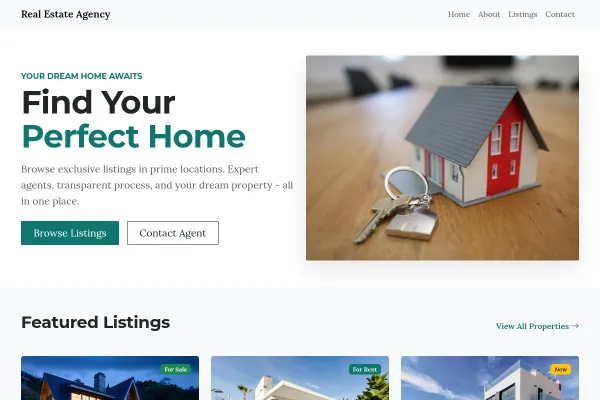
Who the Rentals & Property Management template is for

For rental agents and property managers running a portfolio of rental homes. Listings show the facts tenants filter on (rent, deposit, availability date, furnishing, utilities) while the landlord side sells management as a service with its fees stated.

Make it yours

Replace the demo portfolio with your live properties and keep the availability dates accurate, since that's what tenants filter on. State your management tiers and fees, and give the landlord valuation inquiry its own path: it's a different visitor from the tenant browsing at midnight.

Two Visitors, One Portfolio

A rentals site serves tenants looking for somewhere to live and landlords looking for someone to manage it. They arrive from different searches, read different pages and are worth very different amounts.

Give tenants what they filter on

Rent, deposit, available from, furnished or not, minimum lease, bills included, pets and utilities. Tenants filter ruthlessly, and they skip a listing that is missing these without ever inquiring. Listings and their fields are configured through property listings and settings.

Keep availability dates accurate

A portfolio full of properties that went months ago is the fastest way to lose tenant trust, and it generates inquiries you can't fulfill. Removing let properties matters more than adding new pages.

Sell management with its numbers

Tenant find only, rent collection, full management, each with a percentage and what it includes. Landlords are comparing agents on exactly this, and a page that says "competitive fees" gives them nothing to compare.

The rental agent website builder covers the listing and inquiry side as a product.

What is on each page

Home
Hero, Property search, Property listings, Neighborhood guide, How it works, Pricing, FAQ, Closing banner with button
Available
Property search, Property listings, Property features, Closing banner with button
Book a viewing
Property inquiry form, FAQ
Landlords
Contact form, How it works, Pricing, FAQ, Closing banner with button
About
About Us, Agent profile, Closing banner with button
Contact
Contact form, FAQ, Google Map

More about the property management website builder
What is available, what it costs per month, and when they can move in.

More about the real estate agent website builder
Real listings, searchable, each on its own page, and showing requests that reach you.

Questions and answers

Is the Rentals & Property Management template free?

Yes. You can start building and customizing the Rentals & Property Management template for free. The Property Listings features need a paid plan (included in Starter), and the 14-day Starter free trial covers everything in this template.

What pages does the Rentals & Property Management template include?

It comes with 6 ready-made pages: Home, Available, Book a viewing, Landlords, About, Contact.

What can the Rentals & Property Management template do?

It's set up for Property Listings, Pricing. Those are built into the template itself, so they work from the moment the site is created.

What fonts and colors does the Rentals & Property Management template use?

Poppins for headings and Karla for body text, on a palette built around #2f4b7c and #f2a900.

Do I need to know how to code?

No. The Rentals & Property Management template is edited visually in the drag-and-drop builder, with no coding at any point.