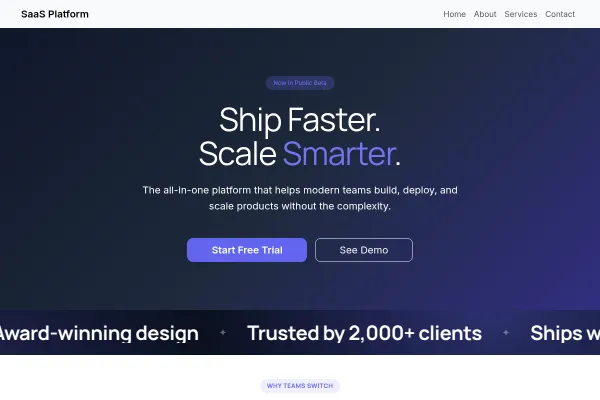
 Technology & SaaS
SaaS Platform
Software product site: one clear promise, features as the argument, pricing tiers and a free-trial ask.
4 pages
View template
A launch page for iOS/Android apps: device mockups, a feature walk, store badges, and an email capture for pre-launch waitlists.
Drop real screenshots into the device frames (the template's placeholders show you the crop), keep three features maximum on the first screen, and if you are pre-launch, make the waitlist form the hero CTA and move the store badges down.
Before launch it collects a waitlist. After launch it drives store installs. The same page has to do both, and the copy should change when the app ships rather than staying in pre-launch language forever.
Device mockups of real screens, not an abstract illustration. Prospective users are deciding whether the interface looks like something they can use.
Pick the ones that would make somebody download it today. A feature list that reads like a changelog is the most common mistake on app pages.
Both platforms if you support both, and a clear note if one is coming later. A missing platform discovered after a tap is a wasted install.
Before release, use the email capture to build the launch list: growing your list covers what to do with it once the app is live.
An app landing page is judged on its screenshots in the first few seconds. Use real screens rather than device mockups floating in space, and lead with the one that shows the app doing the useful thing.
What does it cost, which platforms is it on, and what does it do with my data. Those are the questions between interest and an install, and a page that leaves any of them to the app store loses the people who will not go and look.
Yes - you can start building with the Mobile App template for free. Paid plans unlock more projects, custom domains, and additional features.
It comes with 4 ready-made pages: Home, About, Features, Contact.
It is set up for Services. Those are built in rather than add-ons, so they work from the moment the site is created.
Plus Jakarta Sans for headings and DM Sans for body text, on a palette built around #15715a and #1c1c1f.
No. The Mobile App template is edited visually in the drag-and-drop builder - no coding at any point.
Technology & SaaS
Software product site: one clear promise, features as the argument, pricing tiers and a free-trial ask.
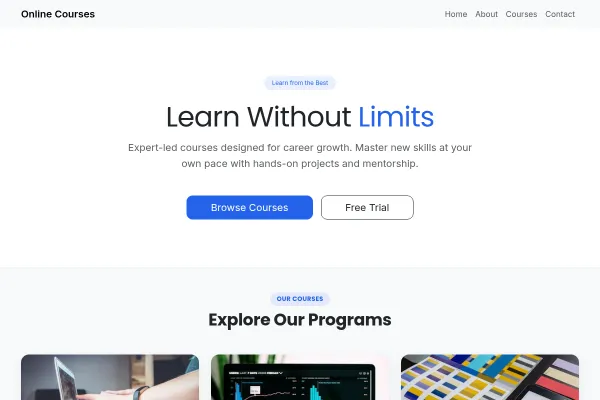 Technology & SaaS
Course platform for adult learners and educators: courses as the catalogue, outcomes over jargon, enrolment as the ask.
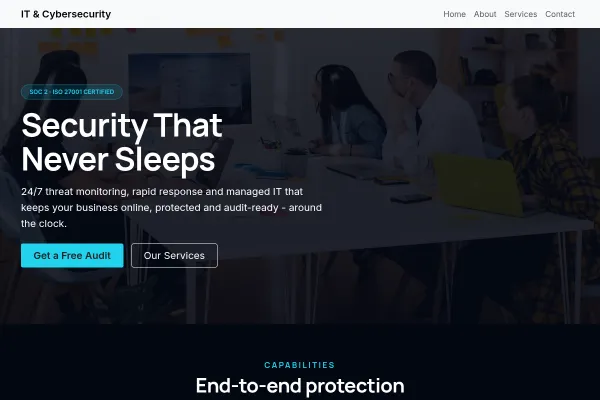 Technology & SaaS
Managed IT and security provider: services in plain English, a staged onboarding, and a fixed-price review as the ask.