For pizzerias, trattorias and neighbourhood Italian places that fill up with families at six. Daylight rather than candlelight: a bright hero, a moving strip of what the kitchen actually does, three plain promises and the room itself. Menu, table bookings and takeaway are all wired in.
Make it yours
Put the dough on the strip - proving time, flour, oven temperature - because that is what regulars repeat to their friends. Say plainly whether you take bookings before six, and photograph the room in daylight with people in it rather than the empty dining room at night.
A Pizzeria Website Has About Six Seconds
A family deciding where to eat at half past five is not reading. They are scanning for the food, the price bracket, whether they can get a table and how far it is.
Show the kitchen doing the thing
An oven, a stretched base, a pizza leaving the peel. Motion and heat sell a pizzeria in a way a finished plate on a white background never does, and the photograph carries more of the decision than the copy under it.
Keep the menu scannable, not exhaustive
Pizzas, sides, drinks, and a clear marker for what is vegetarian or gluten free. A long menu on a phone becomes a scrolling exercise, and the family will pick the place that made the choice easy. Presenting your menu covers the structure.
Say plainly whether they can just turn up
Walk-ins, bookings, or bookings before seven and walk-ins after. This single sentence prevents most of the phone calls a pizzeria takes and most of the disappointed arrivals.
If you also sell direct for collection or delivery, the restaurant online ordering system explains the difference between doing it yourself and paying a marketplace for the privilege.
Yes - you can start building and customizing the Pizzeria template for free. The Online Booking and Menu features need a paid plan (included in Starter), and the 14-day Starter free trial covers everything in this template.
What pages does the Pizzeria template include?
It comes with 4 ready-made pages: Home, Menu, About, Contact.
What can the Pizzeria template do?
It is set up for Online Booking, Menu, Services, Gallery. Those are built in rather than add-ons, so they work from the moment the site is created.
What is the Pizzeria template set up with?
It arrives with 2 bookable services (Early table (before 6), Evening table), so you are editing a working business rather than filling in an empty layout. Replace the demo content with your own as you go.
What fonts and colours does the Pizzeria template use?
Archivo for headings and Mulish for body text, on a palette built around #b8321f and #2f6b4f.
Do I need to know how to code?
No. The Pizzeria template is edited visually in the drag-and-drop builder - no coding at any point.
Guides for running this kind of site
How to Put Your Menu Online and Keep It RightA PDF menu is a menu nobody can read on a phone and Google cannot read at all. What a real online menu needs, including the allergen information th...
How to Take Table Bookings on Your WebsiteA reservation is not an appointment, and the settings that suit a dentist ruin a dining room. How to run a diner-facing booking form that fits sitt...
How to Stop Paying Delivery Marketplace CommissionA marketplace takes 15-30% of every order and keeps the customer. Here is how to take orders on your own site instead, and what actually changes wh...
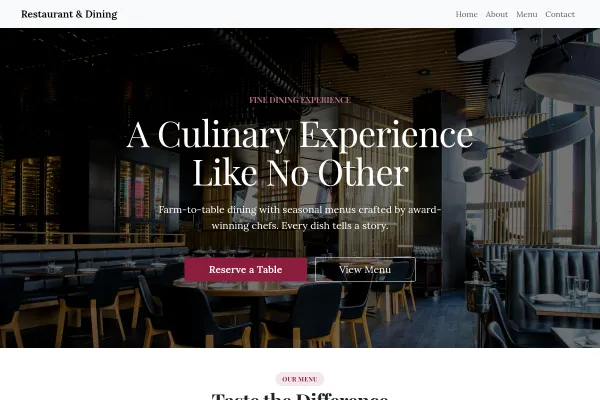
Twenty-eight-cover restaurant: an open kitchen in flames, tonight's printed menu, the room by candlelight, and a table plan of free and booked tables beside the booking.
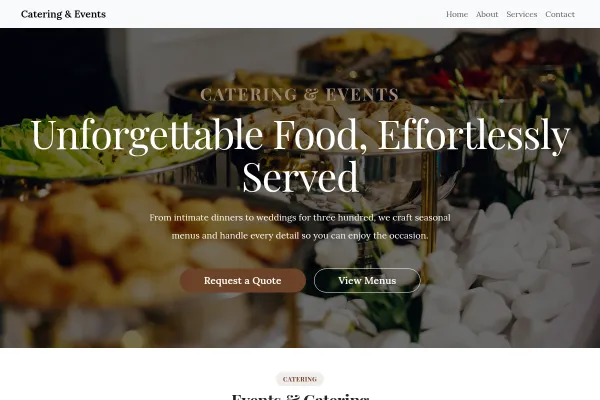
Event caterer: kitchen order tickets on a rail over a row of plates, weddings, company days and parties priced per head, the chef, and a tasting to book.
We use strictly necessary cookies to run the site and, with your consent, analytics cookies to understand usage. See our Cookie Policy and Privacy Policy.
 Food & Drink
Working bookings included · Starter plan
Food & Drink
Working bookings included · Starter plan