For taquerias, street-food counters and cantinas. The only food template here built for a queue rather than a reservation: numbered steps explaining how ordering works, a board instead of a menu card, and hot colours with no photograph that is not food. No booking system, because a counter does not need one.
Make it yours
Say plainly how ordering works and what happens at the salsa bar - it is the question every new customer has and nobody asks. Put your cut-off time on the page if you sell out, and photograph the food in daylight on the tray it is served in rather than styled on slate.
Built for a Queue, Not a Reservation
Most restaurant templates assume a booking. A taqueria, a street-food counter or a cantina usually assumes a line, and that changes what the page has to explain.
Explain how ordering works
Order at the counter, find a table, wait for a number. Obvious to you, unknown to somebody standing outside deciding whether to join the queue. Numbered steps remove that hesitation better than any description of the food.
A board, not a menu card
Short lists, big type, prices visible. The menu on this kind of site is read on a phone in a queue or on a sofa before setting out, and both readers want the same thing: what you have and what it costs. Presenting your menu covers the layout.
Hours and location do the heavy lifting
Street-food businesses move, close early when they sell out, and trade odd hours. Publishing today's reality is the difference between a customer and a wasted trip.
Colour and confidence carry this template rather than photography, so the first change to make is the menu itself: your fillings, your prices, your words.
Yes - you can start building and customizing the Taqueria template for free. The Menu features need a paid plan (included in Starter), and the 14-day Starter free trial covers everything in this template.
What pages does the Taqueria template include?
It comes with 4 ready-made pages: Home, Menu, About, Contact.
What can the Taqueria template do?
It is set up for Menu, Services, Gallery. Those are built in rather than add-ons, so they work from the moment the site is created.
What fonts and colours does the Taqueria template use?
Archivo for headings and Mulish for body text, on a palette built around #c4461a and #2e7d4f.
Do I need to know how to code?
No. The Taqueria template is edited visually in the drag-and-drop builder - no coding at any point.
Guides for running this kind of site
How to Put Your Menu Online and Keep It RightA PDF menu is a menu nobody can read on a phone and Google cannot read at all. What a real online menu needs, including the allergen information th...
How to Take Table Bookings on Your WebsiteA reservation is not an appointment, and the settings that suit a dentist ruin a dining room. How to run a diner-facing booking form that fits sitt...
How to Stop Paying Delivery Marketplace CommissionA marketplace takes 15-30% of every order and keeps the customer. Here is how to take orders on your own site instead, and what actually changes wh...
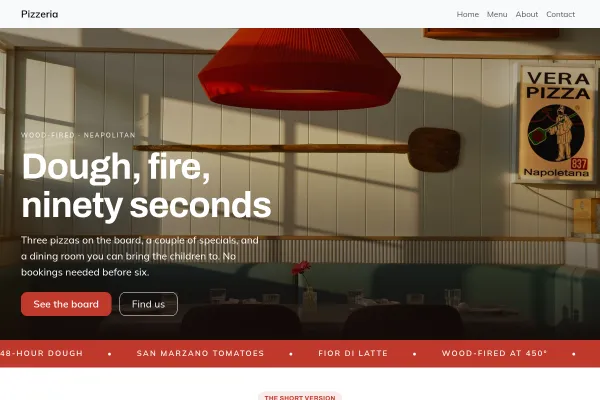
Neapolitan pizzeria: an oven dial at 485 degrees over a margherita in the flames, three ingredients, the forty-eight-hour dough, and a table by the oven.
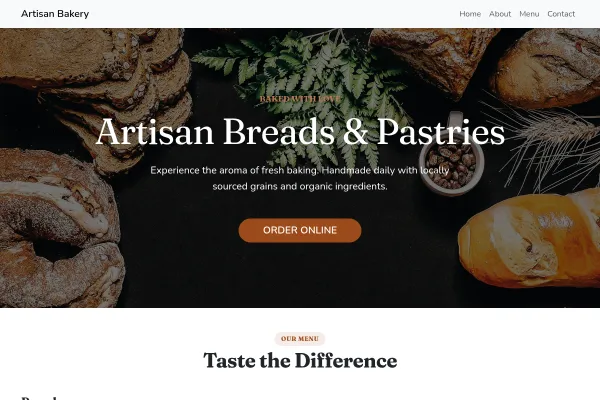
Sourdough bakery: a hessian flour sack stencilled with today's bake times beside the oven being loaded, the real bakes, forty-eight hours for a loaf, and the counter.
We use strictly necessary cookies to run the site and, with your consent, analytics cookies to understand usage. See our Cookie Policy and Privacy Policy.
 Food & Drink
Working bookings included · Starter plan
Food & Drink
Working bookings included · Starter plan