Architecture practice websites

Architect website builder

The buildings first, the facts beside them, and a single way to begin talking.

November offer: first month free 1 month free on any plan below, then the normal price. Ends November 23. Start with the offer - it is applied automatically.
  • 14-day free trial - card required
  • Free forever to build the site itself
  • Cancel anytime

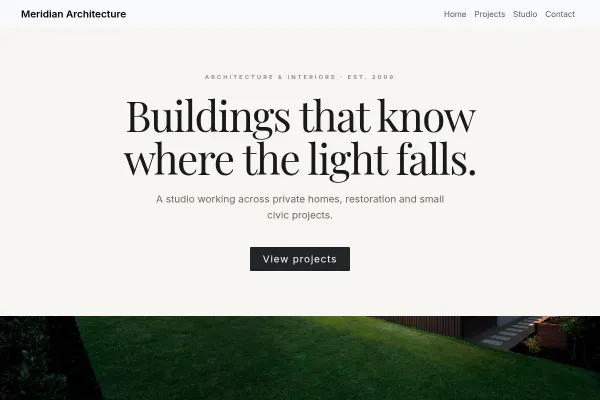
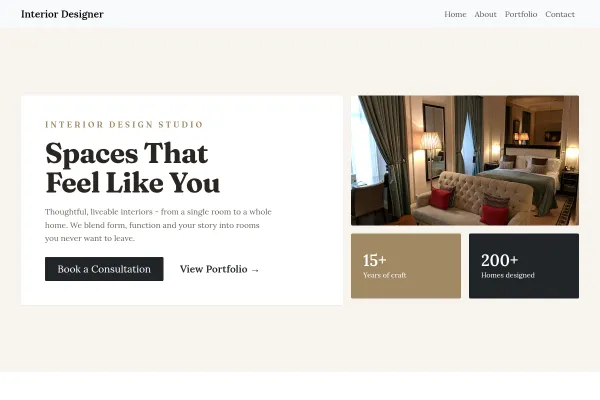
A client choosing an architect looks at two things: the photographs, and whether the practice has built something like what they have in mind. Most practice sites give them the first and hide the second behind project names that mean nothing to an outsider. This starts from two architecture designs that put a location, a year and a scope beside every project, list the work in an index a client can scan, and explain how a project runs from first meeting to completion.

Building your site, pages and blog are free forever. Booking a first call from the site is not - it needs Starter ($14.99/mo). The 14-day free trial covers it, and starting the trial needs a card. Scheduling requires Starter; the free tier still publishes your projects and takes written inquiries.

Before you start the trial

  • Nothing is charged today. Cancel any time before day 15 and you are not charged at all - the account moves to the Free plan and your site and its data stay.
  • Taking payment runs through your own Stripe account. Connecting it is a separate identity check with Stripe that can take a few days, so start it on day one if you want to take a real payment inside the trial.
  • The trial runs on Starter only. Moving up a plan part-way through ends the trial and starts the paid subscription, so if you already know you need the bigger tier, start there instead.
  • One trial per account.

Replaces

  • A portfolio PDF emailed on request
  • A site last updated two projects ago
  • Project names with no type, place or year
  • First meetings arranged over a week of emails

Photographs at full width

Projects are shown as large plates with a caption, not thumbnails in a grid. The work is the argument, so the design gets out of its way.

The facts beside the picture

Type, location, year and scope for every project. A client with a rear addition in mind finds the three you have built without opening twenty pages.

An index of the work

A plain table of projects a visitor can scan. It shows range and volume in a way a slideshow cannot.

How a project runs

Every stage in sequence, naming the decision the client makes at that point. Most first-time clients have no idea what happens after the first meeting, and saying so is half the reassurance.

Inquiries that say what and where

The form is a name, contact details and a message. Word its prompt to ask what the client wants built and where. Inquiries are kept together and you are emailed as each arrives.

A first call on your calendar

A prospective client chooses one of your reserved mornings and is reminded ahead of time, so the first conversation happens this week and not next month.

How it works

Live in an afternoon - no code, no plugins.

1

Choose the projects and their facts

Start from an architecture design. For each project: the photographs, then the type, the place, the year and what you were appointed to do.

2

Write how a project runs

The stages from first meeting to completion in your own words, and on the Studio page the people, the registration and the kind of work you take on.

3

Offer a first conversation

Create a half-hour introductory call, reserve two mornings a week for it, and publish.

Templates to start from

See what a good architects website has, with every design for it and real sites built with Webkio.

Hand-picked designs for this kind of business - customize any of them.

Frequently asked questions

Large enough to fill the screen, small enough to load. Twelve photographs straight from the camera at 4 MB each make a 48 MB page; resized to 2,000 pixels wide at about 400 KB each, the same twelve are 4.8 MB. The resizer linked from this page handles it in your browser, before anything is uploaded.

Eight to twelve, chosen for the work you want next, not for completeness. Put the rest in the index, where a line each is enough.

A little, clearly labeled as a proposal or a competition entry. A site of renderings suggests, fairly or not, a studio with little built work.

Twice: on the Studio page and at the foot of every page. State who is licensed and in which states, plus the firm's own registration if your state issues one. The guide on license numbers has sample wording.

Not as files. The inquiry form takes text, which is enough to say what and where. Request drawings when you answer, and they come to your usual email.

Not sure how many pages you need? We counted 115 small business sites - three pages are the same everywhere, and the fourth depends on your trade.

Ready to build it?

Build and publish your site for free, with no card. Architect website builder needs Starter, free for 14 days on the trial, and you can cancel any time.

Already have a website? Import it free and see it as a Webkio site, and your pages keep the addresses they already have.