Dental practice websites

Dental website builder with online booking

New patients book the exam themselves, every provider has their own calendar, and the fees are on the page.

November offer: first month free 1 month free on any plan below, then the normal price. Ends November 23. Start with the offer - it is applied automatically.
  • 14-day free trial - card required
  • Free forever to build the site itself
  • Cancel anytime

A filling comes out at nine in the evening, and the search for a dentist happens then, not at eight the next morning. A site that answers with "call us during office hours" is asking that person to remember you tomorrow. This builds the practice website and the appointment calendar together: each dentist and hygienist with their own hours, appointment types with their real length, a reminder before the visit, and a fees page for the question new patients rarely ask out loud.

Building your site, pages and blog are free forever. Dental website builder with online booking is not - it needs Starter ($14.99/mo). The 14-day free trial covers it, and starting the trial needs a card. That tier covers 5 providers and 100 online appointments a month; Growth Business raises both.

Before you start the trial

  • Nothing is charged today. Cancel any time before day 15 and you are not charged at all - the account moves to the Free plan and your site and its data stay.
  • Taking payment runs through your own Stripe account. Connecting it is a separate identity check with Stripe that can take a few days, so start it on day one if you want to take a real payment inside the trial.
  • The trial runs on Starter only. Moving up a plan part-way through ends the trial and starts the paid subscription, so if you already know you need the bigger tier, start there instead.
  • One trial per account.

Replaces

  • A site with a phone number, a map and nothing to press
  • A form that asks for a callback, answered the next day
  • Reminder calls made by whoever is at the desk
  • Fees given only over the phone

A calendar for each provider

Dentists and hygienists each have their own hours, breaks and appointment types, so a cleaning is never offered in a slot only the dentist can fill.

Visits with their real length

A new-patient exam, a cleaning and an emergency slot each take the time you set. The calendar offers only what fits, so nobody books a 4:40 exam that runs past closing.

Reminders nobody has to send

A reminder goes out before the appointment on its own. The front desk stops spending the first hour of the day on the phone to tomorrow's list.

Fees on the page

A Services page listing each treatment beside its fee, as a figure or a range. People weigh up two or three practices before phoning any, and a practice with no prices is assumed to be the expensive one.

New-patient questions, answered

Questions from the contact form reach a single inbox, with an email to tell you, so "do you take my plan?" gets an answer the same day instead of sitting in a shared mailbox.

Found by people nearby

The practice name, address, phone and opening hours go out in the structured form search engines use, next to the map and hours a visitor sees.

How it works

Live in an afternoon - no code, no plugins.

1

List the visits and who does them

Enter every kind of visit and how long it runs - a new-patient exam is not a 20-minute check - and the dentist or hygienist who performs it, with the hours they work.

2

Make the design yours

Start from the dental design: replace the photos with your team and your rooms, describe the treatments you provide, and put your fees or fee ranges on the Services page.

3

Publish and open the calendar

Patients see the times that are free and book one. They get a confirmation straight away, then a reminder ahead of the visit.
Templates to start from

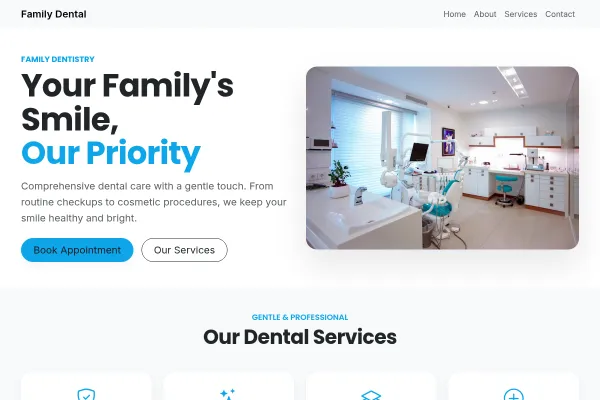
See what a good dental practices website has, with every design for it and real sites built with Webkio.

Hand-picked designs for this kind of business - customize any of them.

Frequently asked questions

Count only the visits booked on the website, not every visit. A two-dentist practice seeing 22 patients a day over 20 business days has 440 visits a month; if a quarter of them are booked online that is 110, just over the Starter allowance of 100, so Growth Business with 500 a month is the plan that fits. A solo dentist seeing 14 a day with the same share books 70 online, which fits Starter.

Yes. Calendars are kept per person, so a patient books the dentist or hygienist they want, or simply the earliest opening.

No, and it should not try. Charting, treatment plans, insurance claims and recalls stay in your practice system. Think of this as the public side, the site and the way in for bookings: an appointment made online arrives in your booking list and by email, and your team enters it in the practice system the way they would a phone booking.

We think so, at least as ranges for the three things a new patient asks about first: the exam, the cleaning and a filling. Our article on dental prices shows how to phrase a range so nobody holds you to a figure before an examination.

Who they are, how to reach them and which visit they want. Keep health history and insurance details in your practice system and off web forms. Our article on patient data lists what a clinic website should never collect.

Add an emergency appointment type with a short slot and hold a time or two for it each day, so it shows as bookable. For anything that cannot wait for a slot, say so plainly on the page and put the phone number beside it.

Not sure how many pages you need? We counted 115 small business sites - three pages are the same everywhere, and the fourth depends on your trade.

Ready to build it?

Build and publish your site for free, with no card. Dental website builder with online booking needs Starter, free for 14 days on the trial, and you can cancel any time.

Already have a website? Import it free and see it as a Webkio site, and your pages keep the addresses they already have.