Event planner websites

Event planner website builder

The events you have run, what each package costs, and an inquiry that asks for the date.

November offer: first month free 1 month free on any plan below, then the normal price. Ends November 23. Start with the offer - it is applied automatically.
  • 14-day free trial - card required
  • Free forever to build the site itself
  • Cancel anytime

Nobody hires a planner from a list of services. They hire the person who ran an evening that looked the way they want theirs to look, and who can say what it will cost before the second meeting. So an event planner's site is a gallery with prices attached. This builds it from a design organized around a run sheet: the day shown hour by hour, the events you have delivered, three packages and their contents, and an inquiry form you prompt for the date and the head count.

Building your site, pages and blog are free forever. Booking a consultation from the site is not - it needs Starter ($14.99/mo). The 14-day free trial covers it, and starting the trial needs a card. Consultation scheduling is a Starter feature; free sites publish the gallery, the packages and the inquiry form.

Before you start the trial

  • Nothing is charged today. Cancel any time before day 15 and you are not charged at all - the account moves to the Free plan and your site and its data stay.
  • Taking payment runs through your own Stripe account. Connecting it is a separate identity check with Stripe that can take a few days, so start it on day one if you want to take a real payment inside the trial.
  • The trial runs on Starter only. Moving up a plan part-way through ends the trial and starts the paid subscription, so if you already know you need the bigger tier, start there instead.
  • One trial per account.

Replaces

  • A social feed standing in for a portfolio
  • Prices sent only after a discovery call
  • Inquiries with no date, no venue and no head count
  • Consultations arranged by text message

A gallery of real events

Photographs of rooms you set and evenings you ran, each captioned with what it was. It is the proof a client is looking for, and stock pictures are the opposite of it.

Packages with prices

Coordination, partial planning and full planning, each with its scope and its starting figure. Someone who knows the number arrives ready to talk about the event.

The day, hour by hour

A run sheet section lays out a real event from load-in to last guest. Nothing else shows as clearly what a planner actually does on the day.

Inquiries that include the date

The form is a name, contact details and a message. Word the prompt to ask for the date, the guest count and the venue, and most people supply all three, so your first reply can say whether you are free.

Consultations on your calendar

A couple or a company chooses from the times you have published and is reminded before the meeting. Nothing outside your consultation hours is ever on offer.

Who will be there on the day

An About page for you and the people you bring. Clients want to know who will be standing in the room at six in the evening.

How it works

Live in an afternoon - no code, no plugins.

1

Choose the six events to show

Start from the event planner design. Pick six events that resemble the bookings you are after, and caption each with the kind of event, the guest count and the venue.

2

Price the packages

Name what each level includes and put a starting figure on it. Add the run sheet from a real day so a client sees how you work.

3

Let clients schedule the consultation

Create a consultation slot of the length you prefer, decide which afternoons you offer it, and publish. Then add the address to your profiles and your email signature.
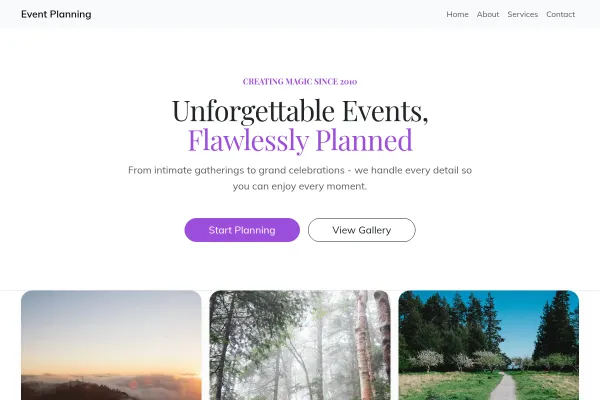
Templates to start from

See what a good event planners website has, with every design for it and real sites built with Webkio.

Hand-picked designs for this kind of business - customize any of them.

Frequently asked questions

As a starting figure per package, plus the rule you use for full planning. Written out: day-of coordination from $1,800; full planning at 12% of the event budget, so $4,800 on a $40,000 wedding. A client can place themselves on that in a minute, and the ones who cannot afford you do not book a call.

The date, the guest count, the venue if there is one, and the budget range. Those four decide whether you can take the event at all. The form has one message box, so ask for them in its prompt; everything else belongs in the consultation.

No. The site brings the inquiry in and books the consultation. Contracts and payment schedules remain in your existing tools. A cancellation policy page is worth adding, and the free generator drafts one.

Around six events with five or six photographs each, chosen for variety: a wide shot of the room, a table, a detail, people enjoying it. A hundred pictures of one wedding tells a visitor you have done one wedding.

No. They are different buyers who search with different words, so give weddings one page and corporate events another, each speaking only to its own reader.

Not sure how many pages you need? We counted 115 small business sites - three pages are the same everywhere, and the fourth depends on your trade.

Ready to build it?

Build and publish your site for free, with no card. Event planner website builder needs Starter, free for 14 days on the trial, and you can cancel any time.

Already have a website? Import it free and see it as a Webkio site, and your pages keep the addresses they already have.