Event planner website examples
A planner is hired on taste and trusted on logistics, and a website has to show both. The gallery covers taste. Logistics is harder to photograph, which is why the strongest designs here put a real run sheet on the page: the day in fifteen-minute lines, from the florist's arrival to the last car leaving.
4 designs below, and the six things every good event planner website has. Designs and listed sites read live; the judgment reviewed November 18, 2026.
What a good event planner website has
The things the examples below have in common, and the reason each one is there.
Six events, captioned
What kind of event, how many guests, which venue. An uncaptioned gallery leaves a client guessing whether you have done anything their size.
Packages with a starting price
Coordination, partial and full planning with what each includes. A figure, even a "from", is what separates an inquiry from a browser.
A run sheet from a real day
One timeline, lightly anonymized. It shows the work a client never sees and is the best argument for hiring a planner at all.
An inquiry form that starts with the date
Date, guest count, venue, budget range. You can answer availability in the first reply.
The planner, in the picture
A photograph of you at work on an event day, not a studio portrait. Clients are choosing who will be in the room.
Vendors you work with
The florists, caterers and venues you know, named with their agreement. A planner's contacts are part of what is being bought.
What goes wrong
- Every image a detail shot of a place setting, with no wide view that shows a whole room handled.
- "Pricing on request" on every package, in a market where the client is comparing five planners tonight.
- A contact form that asks for a name and a message, so the first two emails are spent finding out the date.
4 event planner website designs to start from
Each one opens as a live preview. The words, photos and colors are yours to change; the working parts stay.
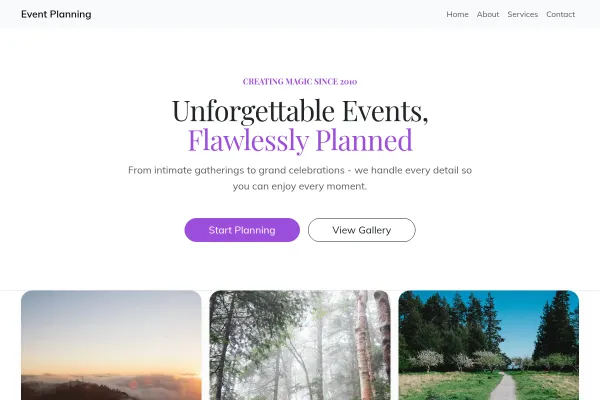
Event Planning
Event planner built around a production run sheet: a festoon-lit courtyard, rooms set an hour before the doors, a whole night minute by minute, and planning fees stated.

Event Launch
Gig-poster layout for one night and one date: the line-up as the bill, a live countdown, a ticket waitlist.

Wedding Planner
Wedding planner on letterpress stationery: an order of the day over a rose-lined aisle, three services as place cards, one line in very big type, and a mosaic of weddings.
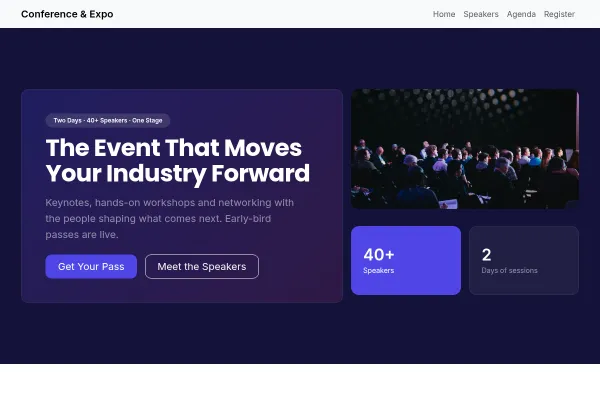
Conference & Expo
Single-track conference with a lanyard badge over the stage, the dates as huge numerals, a topic ticker, day one as a schedule grid, and tickets shaped like badges.
Going deeper
Guides from the blog, and a free tool for the sums.
Frequently asked questions
What should an event planner put on a website?
Six captioned events, packages with starting prices, a real run sheet, an inquiry form that asks for the date, and a picture of you working. In that order.
Should wedding planners list prices?
Starting prices, yes. Couples budget before they inquire, and a planner with no figure is skipped in favor of one who gave a range.
How do I show corporate and private events on one site?
Give each its own page and its own gallery. A company booking a product launch and a couple planning a wedding should never have to scroll past each other.
Does an event planner need a cancellation policy on the site?
Yes, in plain words: what is refundable and until when. It prevents the hardest conversation in the business, and the free generator gives you a draft to adapt.
Examples for other trades
Start from one of these
Pick a design, add your details, publish. Free to build; pay when the site is earning its keep.
Build your event planner site - free