Holiday rental website examples
A holiday let owner builds a website for one reason: to take the booking the platform would otherwise take a commission on. The designs here are direct-booking sites for a cottage, a villa or a handful of apartments, with a calendar feed the platforms read so a date you book is blocked there, prices by season, and a changeover day the calendar respects.
4 designs below, and the six things every good holiday rental website has. Designs and listed sites read live; the judgement reviewed 8 November 2026.

What a good holiday rental website has
The things the examples below have in common, and the reason each one is there.
One calendar, published to the platforms
The site publishes a calendar feed that Airbnb and the others read, so a date booked here blocks there. A booking that lands on a platform is entered here the same day, which is the only way one calendar stays true; one double booking undoes a year of direct bookings.
Prices by season and length of stay
A week in August and a weekend in November are different products. Seasonal rates with dates, a minimum stay in peak, a discount for the week.
Sleeps, beds and what is there
How many it sleeps and in what beds, the cot, the parking, the dog. The facts guests search by, as a list the eye can scan.
Photos in daylight, room by room
Every room, the view, the outside space, in order. Guests count the photos; a let with eight photos loses to one with thirty.
The deposit and the rules
A damage deposit held, the check-in time, the changeover day, the rules of the house. On the site and in the confirmation.
The area, as a local knows it
Distance to the beach in minutes walked, the pub, the shop, the station. Local knowledge is what the platforms cannot copy.
What goes wrong
- A website calendar nobody updates when a platform booking comes in, until the day the two disagree.
- One price all year, which is too high in November and too low in August.
- An enquiry form instead of a booking, so the guest books on the platform while waiting for your reply.
4 holiday rental website designs to start from
Each one opens as a live preview. The words, photos and colours are yours to change; the working parts stay.
Holiday Rentals
Holiday cottages with a house book: a cottage above the sea behind the date search, the live properties, the notebook every guest asks about, and dogs, logs and walks from the door.
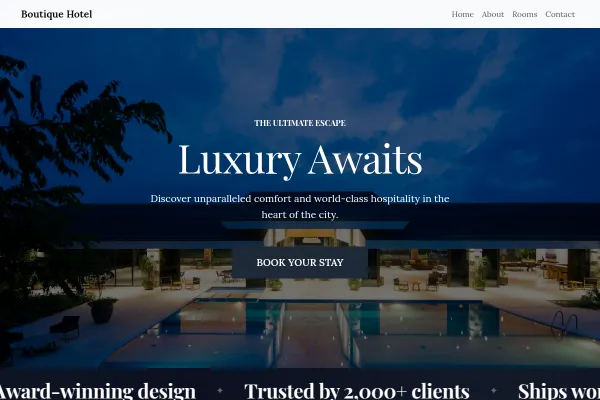
Boutique Hotel
Georgian townhouse hotel: a brass key fob over a bedroom, the request form beside a pigeonhole key board, three rooms with their fobs, breakfast as a printed menu, and Bath in walking minutes.
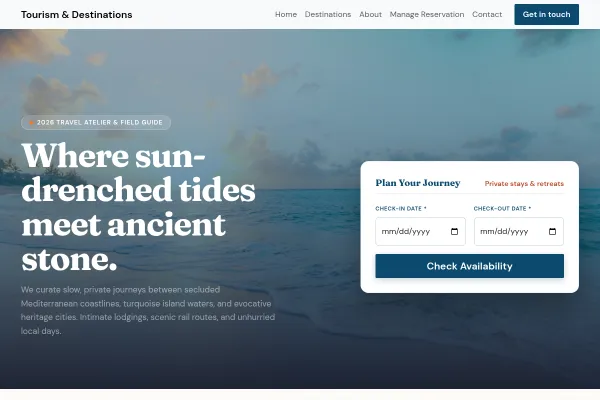
Tourism & Destinations
Curated coastal escapes and historic city immersions: turquoise waters and whitewashed cliff sides behind live arrival and departure search, six signature destinations and private stays, an architectural city dispatch, and real online reservations.

Camper Hire
Campervan hire on a postcard: the date search written over a Highland coast road, the live fleet, a week-long route with nights and miles, and what is already in the van.
Going deeper
Guides from the blog, and a free tool for the sums.
Frequently asked questions
Will the calendar sync with Airbnb and Booking.com?
Your site publishes a standard calendar feed the platforms read, so a date booked here is blocked there within an hour or two. It goes one way: a booking taken on a platform is entered here by you, and the guide on double bookings covers the routine.
Can I charge more in school holidays?
Yes. Seasons have start and end dates and their own nightly or weekly rate, and a minimum stay can apply only in those weeks.
How do I take the damage deposit?
As a hold on the guest's card that is released after check-out, with the amount stated on the property page.
Should I keep listing on the platforms?
Yes, for discovery. The direct site is where repeat guests and referrals book without the commission, and the feed keeps the platforms from selling a date you have already taken.
Examples for other trades
Start from one of these
Pick a design, add your details, publish. Free to build; pay when the site is earning its keep.
Build your holiday rental site - free