Medical practice website examples
Patients choose a practice from a phone, usually when something hurts, and the website is judged on whether it answers quickly: can I be seen, when, by whom, and what will it cost. The designs here, for GP and specialist clinics, dentists, physios and vets, put booking and plain information first and handle the privacy a health site owes its visitors.
5 designs below, and the six things every good medical practice website has. Designs and listed sites read live; the judgement reviewed 8 November 2026.

What a good medical practice website has
The things the examples below have in common, and the reason each one is there.
Book an appointment, online, with a real slot
A new patient should be able to pick a practitioner and a time without a call. The phone stays for the people who need it.
Prices, or at least ranges
A consultation fee, a check-up, a filling: patients look for the number and distrust its absence. The guide on dental prices shows how to state them.
New patient information
What to bring, how long the first visit takes, parking, access. One page that removes the anxiety of the first appointment.
The practitioners, with qualifications
Names, photos, registrations, what each treats. Patients book a person.
Privacy taken seriously
A form that collects only what it needs, a privacy page in plain words, no third-party trackers on a page about a condition. It is both the law and the reason to trust you.
Emergency and out-of-hours, clearly
What to do when you are closed, with the number. It may be the most-read line on the site.
What goes wrong
- A "request an appointment" form that is answered the next working day, for a patient in pain today.
- Stock photos of models in white coats in place of the people who actually work there.
- Analytics and marketing scripts on condition pages, sending the visitor's interest to advertisers.
5 medical practice website designs to start from
Each one opens as a live preview. The words, photos and colours are yours to change; the working parts stay.
Medical Practice
GP practice as a navy ledger: the booking form in a full-height column, appointment types and the doctors' roster in ruled rows, same-day slots at eight.
Family Dental
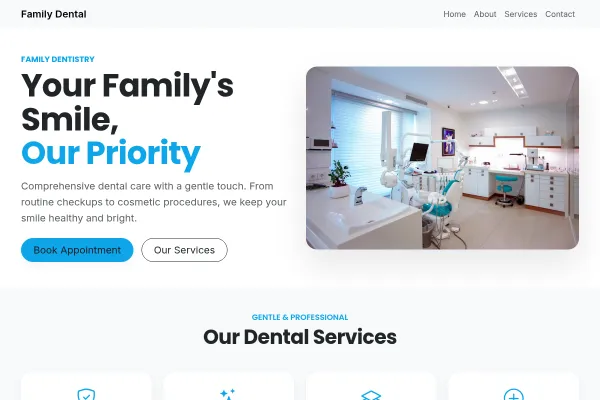
Dental practice in soft mint blocks: booking beside a photograph, every treatment priced, a coral emergency block, a check-up as the ask.
Physio & Rehab
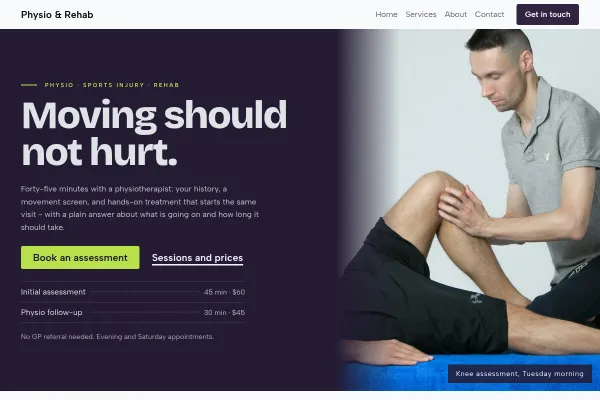
Physio clinic told as the patient's arc: a statement hero, the assess-treat-rebuild steps, conditions answered plainly, every session priced.

Veterinary Clinic
Veterinary practice as a bulletin: photo, booking form and a yellow urgent card side by side, a strip of patients, routine and urgent lists with prices.

Going deeper
Guides from the blog, and a free tool for the sums.
Frequently asked questions
Can patients book online with a specific practitioner?
Yes. Each practitioner has their own hours and services; the patient picks a person or the first available, and gets a confirmation and a reminder.
Should a practice publish its prices?
Private practices, yes - at least ranges. Patients compare on price before they ever call, and an absent price is read as a high one.
What about patient data on the website?
Forms collect only what the booking needs, the data stays in your account, and the privacy page says so in plain words. The guide on patient data covers what to avoid.
Do these designs work for a multi-practitioner clinic?
Yes - several practitioners, each with their own calendar and services, on one site.
Examples for other trades
Start from one of these
Pick a design, add your details, publish. Free to build; pay when the site is earning its keep.
Build your medical practice site - free