Coupons, reviews & returns
Three things that push a browsing visitor into buying: a discount, other people's opinions, and a no-risk return.
Coupons
Discount codes live in Payments > Coupons. They sit there rather than under Shop because a coupon is money off an order, and the same code applies to rental reservations as well as shop orders.
The four types
| Type | What it takes off |
|---|---|
| Percentage | A share of the order. Scales with the basket, which is why it needs a ceiling. |
| Fixed Amount | A flat sum, whatever the order is worth. |
| Free Shipping | The delivery cost, leaving the goods at full price. |
| Buy X Get Y | The offers that do not express as a percentage - three for two on one line. Set Buy Quantity and Get Quantity (Free). |
The limits, which are the part that matters
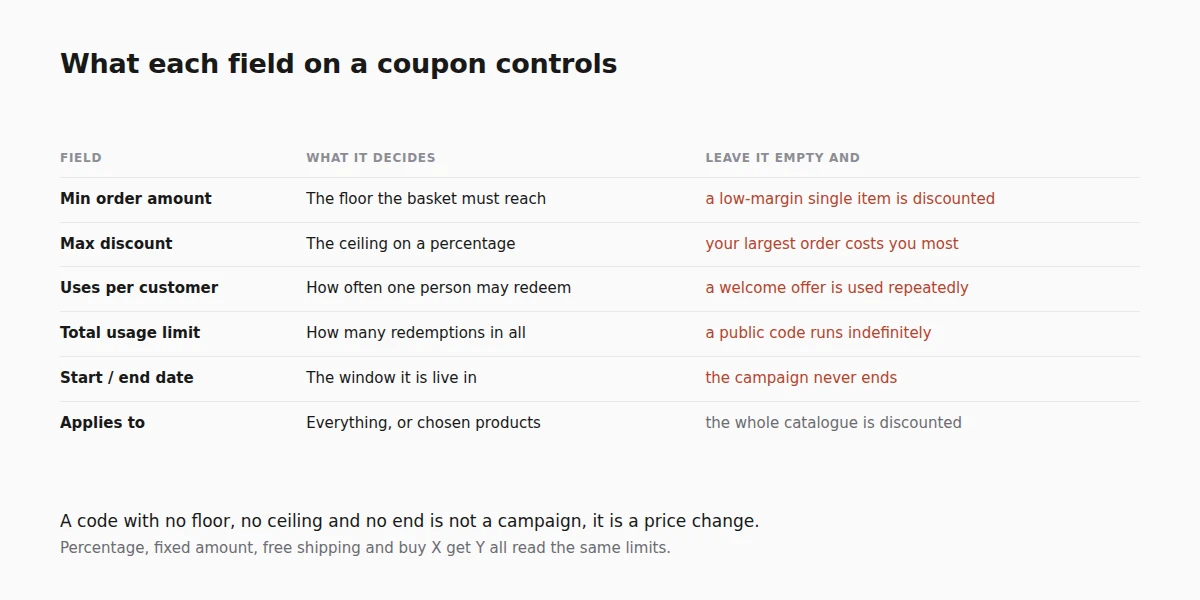
A code without limits is not a campaign, it is a price change. Every type reads the same set:
| Field | What it does | Leave it empty and |
|---|---|---|
| Min Order Amount | The floor the basket has to reach. | A single low-margin item gets discounted. |
| Max Discount | The ceiling, on a percentage. | Your largest order is the one that costs you most. |
| Uses Per Customer | How many times one person may redeem it. | A welcome offer is redeemed repeatedly by the same account. |
| Total Usage Limit | How many redemptions in all. | A public code runs until you notice. |
| Start Date / End Date | The window it is live in. A start date lets you build a seasonal offer in advance. | The campaign never ends. |
| Applies to | The whole order, or only chosen products. | The discount reaches your new range as well as the old stock. |
The list view shows each code as Live, Scheduled, Expired or Inactive, along with how many times it has been used. A code you never promoted with a high usage count has been published somewhere you did not publish it.
Codes are typed by the buyer at checkout, so keep them short and unambiguous. Avoid characters that look alike (O and 0, I and l).
Reviews
Turn on Let customers review products in Settings > Shop. Products then show star ratings and a Write a review form, and the reviews arrive in Shop > Reviews for you to approve.
A review left by someone who actually bought the product is marked Verified purchase. That badge is worth more than the star count - shoppers look for it.
Reviews are moderated before they appear, so a competitor cannot post nonsense onto your product page.
Returns
Turn on Enable returns & withdrawals in Settings > Shop. Buyers can then request a return from their order, and the requests queue in Shop > Returns.
A request is not all-or-nothing. Each one carries:
- Scope - the whole order, or only some of it, with a quantity per item. A customer returning one of three shirts is the common case, and it is the one a whole-order-only flow handles badly.
- Reason - the customer's own words, which is your data on why things come back.
- Type - a return of goods or a withdrawal from the contract, which are different things in consumer law in much of Europe.
- Internal notes - not shown to the customer.
Return the item(s) to stock is the checkbox that decides whether the goods go back on sale when you complete this return. Tick it for a resalable item; leave it clear for something damaged, and your stock figure stays honest.
Approving a return does not automatically refund the money - refund the order separately when the goods are back with you. See Manage orders.
Good to know
- A visible returns policy sells more than it costs. Most shoppers check it and never use it.
- Do not discount by default. A permanent coupon just lowers your price; a dated one creates a reason to buy now.
Next steps
Frequently asked questions
Why are coupons under Payments rather than Shop?
Because a coupon is money off an order, and the same code can apply to a rental reservation as well as a shop order.
Can I stop a percentage code costing me too much on a large order?
Yes. Set a maximum discount alongside the percentage, and a minimum order amount underneath it, so the code has both a floor and a ceiling.
Can I let one customer use a code only once?
Yes, with the per-customer limit, which is the setting that stops a welcome offer being redeemed repeatedly.
Do reviews appear straight away?
No. They arrive for you to approve, which is what stops a competitor posting nonsense onto your product page. A review from somebody who actually bought the item is marked as a verified purchase.
Can a customer return part of an order?
Yes. A request carries a scope and a quantity per item, so one shirt out of three comes back without cancelling the rest.
Does approving a return refund the money?
No. Approve the request, then refund the order separately once the goods are back with you.
Related reading
- Discount codes that do not lose you money - the floor, the ceiling and the end date, and why each one matters.
- How to get more customer reviews - asking at the moment people are willing.